

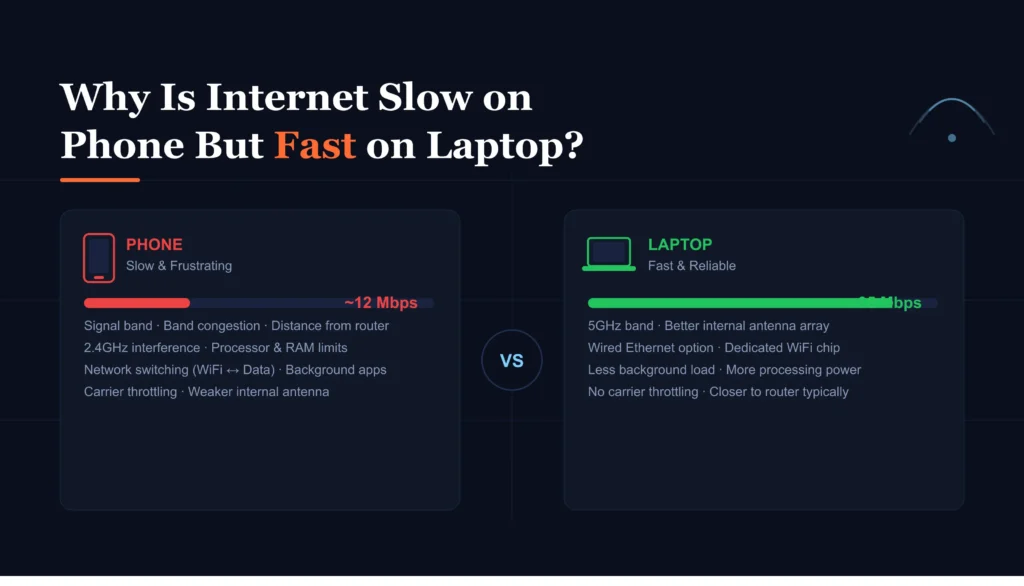
I ran into this problem a few months ago, and it drove me crazy. Same WiFi, same room, same time. My laptop was flying through downloads, and my phone? Barely loading Instagram. At first, I thought it was just a bad day for the internet. It wasn’t.
After messing around with settings, restarting things more times than I’d like to admit, and testing different apps, I realized this issue is way more common than it seems. And yeah, there are actual reasons behind it.
WiFi Signal Hits Phones Differently
This one surprised me a bit. I always assumed WiFi is WiFi. But no, phones and laptops don’t receive signals the same way.
I tested this by sitting in my bedroom, which is a bit far from the router. My laptop still got decent speed. My phone dropped to almost nothing. I walked closer to the router, and suddenly my phone speed jumped back up.
Phones just have smaller antennas. That’s it. They struggle more with weak signals. Laptops are better at holding onto that connection.
Not even close.
Background Apps Are Quietly Eating Your Speed
I didn’t realize how much stuff runs in the background on my phone until I checked.
Emails syncing. Apps updating. Cloud backups happening without asking me. It adds up fast. Meanwhile, my laptop was just doing what I told it to do. Nothing extra.
I remember testing this once. I closed all apps on my phone and turned off background refresh. Suddenly, pages loaded faster. Not perfect, but noticeably better.
Phones multitask more aggressively. And honestly, it gets old when you don’t even notice it happening.
Browser Differences Actually Matter
I used to ignore this completely. Big mistake.
On my laptop, I use Chrome with a few extensions. On my phone, I was using the default browser. The same website loaded slower on my phone every single time.
Out of curiosity, I installed a different browser app. Boom. Slight improvement.
Mobile browsers are often limited. Less caching, fewer optimizations, and sometimes just worse performance overall.
Could be coincidence, but I’ve stuck with the better-performing browser since.
Your Phone Might Just Be Slower
This one’s obvious, but people ignore it.
I tested a heavy website with lots of images and scripts. My laptop handled it instantly. My phone struggled. It wasn’t just internet speed. The phone itself couldn’t keep up.
Processing power matters. If your phone is older or budget-level, it’s going to feel slower online. There’s no way around it.
Save your money if you expect a cheap phone to perform like a laptop. It won’t.
Network Settings Can Be a Mess
I once spent 20 minutes trying to figure out why my phone was slow, only to realize I had a weird DNS setting turned on.
No idea when I enabled it. Probably clicked something random.
Resetting network settings fixed everything instantly. That was frustrating. All that time for something so small.
Phones are easier to misconfigure. VPNs, DNS apps, data saver modes. Any of these can slow things down.
WiFi Bands Can Trip You Up
This is one of those things nobody talks about, but it matters a lot.
Most routers have two bands: 2.4GHz and 5GHz. My laptop automatically connected to the faster one. My phone didn’t.
I manually switched it, and yeah, the difference was obvious.
5GHz is faster but shorter range. If your phone keeps switching or sticks to the slower band, your speed drops.
So What Actually Fixed It for Me?
I didn’t do just one thing. It was a mix.
I moved closer to the router. Switched WiFi bands. Cleared background apps. Reset network settings. Tried a better browser.
Annoying? Yeah. But it worked.
Now my phone is still not as fast as my laptop, but it’s close enough that I don’t think about it anymore.
Quick FAQ
Is this normal?
Yeah. Phones are almost always a bit slower on WiFi than laptops.
Should I reset my phone?
No, that’s overkill. Try network settings first. Much easier.
Does a better phone fix this?
Most of the time, yes. Faster hardware helps a lot.
Is my internet provider the problem?
If your laptop is fast, then probably not.
What helped the most for me?
Switching WiFi bands and killing background apps. Big difference.